

The service :
* To work properly, iPhone Notifications requires that you activate the accessibility service "iPhone Notifications" (accessibility services are currently the only way to process user notifications on the Android OS).
* You then have to use the "Monitoring" section to choose which apps should raise notifications, and how.
* Status bar notifications must be enabled in the monitored apps for the banners and alerts to appear properly.
How to use it :
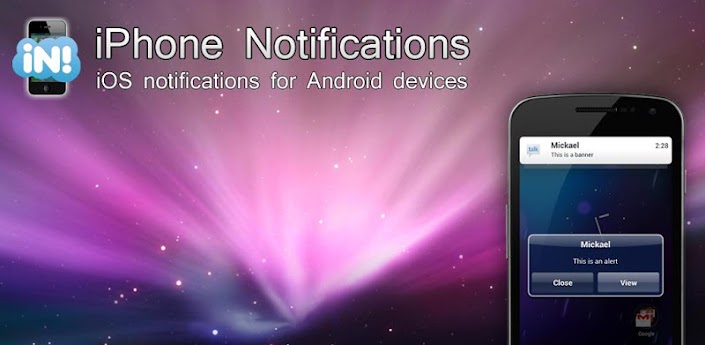
* Once you have activated the service and configured the app, you can choose to display each app's notifications as alerts or banners.
Banners :
* Click the notification to launch it
* Swipe to the right to dismiss it
* Swipe to the left to dismiss notifications coming from the same app/contact
Alerts :
* Click "View" to launch it
* Click "Close" to dismiss it
* Long-click the "Close" button to dismiss all notifications
* Swipe to navigate through your notifications
Important information :
* Note that dismissing the notification won’t remove it from the status bar (the Android OS doesn’t currently allow to manually remove 3rd party apps notifications from the status bar).
* If you use a custom lockscreen app such as MagicLocker or WidgetLocker, or if you use the stock Android 4+ lockscreen, banners will show above your lockscreen.
* As a default, notifications will be enabled for SMS, MMS, missed calls, GMail, Talk, WhatsApp, Facebook, Twitter, Skype, etc...
Full version :
* You can display the full notification text
* You can set individual settings for each app
* You can set a custom ringtone for each app
* You can disable notifications during a call
* You can choose the theme for the notifications
* You can choose the action when you do a left or right swipe on the banner
* You can choose to make the alerts appear only when the screen is off
* You can choose the screen timeout when an alert shows up, and make it stay on until you read it
* You can lower the brightness of the screen when the alert makes the phone wake up
* You can set custom vibration patterns
* You can set quiet hours
* You can use reminders
View on Play Store: https://play.google.com/store/apps/details?id=com.nlucas.iphonenotifications
Please read the Disclaimer before downloading the app.