Freedom v0.7.7(Google Play In-app Billing Hacking)

Get free In-app purchases on your Android device. Get Freedom, Google Play In-app Billing Hacking, now!

Asphalt 7: Heat v1.0.4 - Gameloft

Hit the speed of heat in the newest, fastest, most visually stunning edition of the famed Asphalt series. Download now!

Game Guardian v6.0.2 - Game Guardian

Game Guardian is a game hack/alteration tool. With it, you can modify money, HP, SP, and much more. You can enjoy the fun part of a game without suffering from its unseasonable design.

Modern Combat 3: Fallen Nation v1.1.3 - Gameloft

The best, most realistic smartphone FPS series returns with even higher intensity and an apocalyptic battle for the freedom of the United States, for one or more players.

Free Advertising

Place your ads here. Contact us for your free ad.

Showing posts with label Productivity. Show all posts

Monday, July 29, 2013

Advanced Task Manager Pro v3.1.5 - INFOLIFE LLC

Kill tasks,free memory,speed up phone,save battery.#Feature
*Kill selected tasks
*Android optimizer & booster
*Ignore apps when kill tasks
*Auto kill tasks on every screen off
*Regular kill
*Startup Kill
*One click task kill widget
*Quick uninstaller
*Show battery life
*Support android 1.5/1.6/2.2/2.3/3.x/4.0
*Ad Free

View on Play Store: https://play.google.com/store/apps/details?id=mobi.infolife.taskmanagerpro

Please read the Disclaimer before downloading the app.
Downloads:

Friday, June 14, 2013

Solid Explorer (Full) v1.4.6a - Krzysztof Głodowski

Most attractive, eye catching and intuitive file manager for the Android!
Solid Explorer is a file manager with two independent panels which brings to you a new file browsing experience. This is the most attractive, eye catching and intuitive file manager for the Android.

Features:
Two independent panels for browsing
Drag and Drop inside and between panels
FTP, SFTP and SMB/CIFS clients
File sharing via FTP
Support for ZIP, TAR.GZ, TAR.BZ2 and RAR archives
Creating ZIP and TAR archives
Dropbox, Box, SkyDrive, GoogleDrive (more soon)
Bookmarks
Root access
Indexed search
Detailed file and directory information

What's in this version : (Updated : Feb 17, 2013)
SugarSync support
backup and restore settings
ability to set a wallpaper and a ringtone
creating symbolic links
last open folder is remembered even after app kill
charset selection in text editor
updated Box and SkyDrive libraries
option to keep the screen on during file transfers
other minor improvements

View on Play Store:  https://play.google.com/store/apps/details?id=pl.solidexplorer.unlocker

Please read the Disclaimer before downloading the app.
Downloads:

Root Explorer (File Manager) v3.0.1 - Speed Software

Root Explorer is the ultimate file manager for root users. Access the whole of android's file system (including the elusive data folder!).
Features include multiple tabs, Google Drive, Box, Dropbox and network (SMB) support, SQLite database viewer, Text Editor, create and extract zip or tar/gzip files, extract rar archives, multi-select, execute scripts, search, remount, permissions, bookmarks, send files (via email, bluetooth etc), image thumbnails, APK binary XML viewer, change file owner/group, create symbolic link, "Open With" facility, MD5, create shortcuts.
For fast, friendly support simply email us: support@speedsoftware.co.uk
We will always try to help with any problem you may have with the app. If we can't help then you can have a refund, no questions asked.
Although 16,000+ five star ratings will tell you that most people are very satisfied customers. Make sure you read as many comments as possible to get a good idea of what most people think of the app.
We still respect the old 24 hour refund policy. So if you're not happy with the app just email us within 24 hours and you can have a refund. We'll need to know the order number, which you can find on the emails sent to you by Google when you downloaded.
Why compromise? Get the original and the best!
New permissions:
Full network access - Required for network and cloud access. No information is passed to us over the internet.
Add or remove accounts - Used by the Google Drive SDK to add a new account if desired. No changes are made to existing accounts and no details accessed apart from the account name.
Find accounts on the device - Used to list available accounts for logging into Google Drive.
Prevent from sleeping - Used to stop the device sleeping during long operations so they are not interrupted.

View on Play Store: https://play.google.com/store/apps/details?id=com.speedsoftware.rootexplorer

Please read the Disclaimer before downloading the app.
Downloads:

Tuesday, June 11, 2013

Popup Widget v1.2.2 - ChYK

* NOTICE for Nova launcher bug!!! *
Popup widget supports two ways to create a shortcut. But the first way does not work on Nova, which has a bug for it. You can still create a shortcut by dragging 1x1 widget named 'Popup widget' from the app drawer on Nova. This is the second way!
----------------------------------------
You can create a shortcut to a widget. The widget will appear with a cool animation when clicking the shortcut.
Now this supports more features than ssLauncher, 20 or more internal background skins and changing animation speed and effect.
Main benefits of using popup widget:
1. less memory use of launcher
2. better scroll performance of launcher
3. protect widget from touch miss

View on Play Store: https://play.google.com/store/apps/details?id=com.ss.popupWidget

Please read the Disclaimer before downloading the app.
Downloads:

Monday, June 10, 2013

Handy Note Pro v6.3 - AppBody (HK) Information Technology Co., Limited

Replace paper notebooks, but keep the same experiences. Handy Note, a powerful, but easy to use note-taking app.
★ AndroidAuthority: Almost like a real notebook ★ Gizmodo: One of the 10 Best S Pen Apps for the GALAXY Note II. ★ Applatter: An app for all your note-taking needs! ★ XDA: Awesome Note taking app
Features:
Input: put all following elements on the same page: text, handwriting, free drawing, photo, video, symbol, shape, SMS, contact, date/time, apps, and more.
Free layout: change element's size, color, background, and put them anywhere on pages freely.
Templates: built-in and downloadable templates to help you to organize your plans, shopping lists, class note, health staff, and others quickly.
Export: PDF, PNG, HNF format to/through Evernote cloud, Dropbox, SD card, email, Facebook.
Sync: auto sync with Dropbox among devices.
Phone & tablet: tuned for both phone and tablets.
Preview Widget: you can browser notebooks page by page on your Android desktop without open Handy Note.
Evernote: support Evernote cloud import and export as both Evernote and Handy Note file format.
Creative:
Magic Pen: improves handwriting quality significantly, no matter you are using finger or stylus. Samsung S Pen is supported.
Double Panel writing: allows you to write without stopping and feel like writing on a paper.
Notelet: inserting combinations of content / functions into a note just like put widget on your desktop. Date, Time, SMS, contact and more notelets included.
Editable handwriting: handle your handwriting just like editing text: copy & delete word by word, bulletin & numbering, alignment, and mix with text.
Addon: More templates, covers, symbols and functions (photo editor, personal information management) can be download and plugin.
Sync: The first note-taking app for real Dropbox auto and manual syncing.
★ Highlighted Reviews in Google Play ★
"Great App I use this almost everyday for work. Keeps my notes in order and keeps from having to carry a real notebook." - Aaron Medina
"Perfection This app is the perfect partner to the Note's S-Pen, providing the perfect note taking solution, then combining with Evernote for perfect archiving and organization of those notes." - Ben Humphry
"Great, does what is supposed to do Very handy. You can mix any kind of data." - Filippos Fragoulis
"Superb!Amazing detail. My new favorite app!" - nassi ball
"Best note taking app on the market!!! Ive used a few different note taking apps for my galaxy note including snote and none of them offer as much organized control of my note taking as much as handy note has! Thank you for this app!!!!!!!" - Gary Chambers
"Rating This app is really good and useful! Please keep on updating this app!!!!!!!!!!!!" - Shannen Millar

View on Play Store: https://play.google.com/store/apps/details?id=com.appbody.handyNote.google

Please read the Disclaimer before downloading the app.
Downloads:

Knock²+ // LED was yesterday! v1.0.1.168 - KvnX Dev

// THIS IS KNOCK²+ //
You will never miss a notification again! Knock²+ presents stylishly the notifications on the lockscreen. Thanks to the innovative power-saving modes your battery charge is used to a
minimum.
WhatsApp, Facebook, Google+ or SMS, Knock²+ supports all apps.

// INDIVIDUAL AND YET SIMPLE //
Apps must be simple, but also individually adjustable. Knock²+ has exactly these two qualities. Due to the clearly arranged menu it is easy to adapt Knock²+ to your needs. No mindless falderal. And if you still miss a feature, we are here for you. Just send us a message!

// FUNCTIONS //
We add constantly new innovative features to Knock²+. At the same time, we ensure that the clarity is maintained.
Knock²+ scores in the following ranges:
Best Customer Support - Contact us with wishes, criticism or just some feedback!
Modern design - Knock²+ just looks awesome!
Well-arranged Settings - No more searching. Functional & simple, but yet individual!
Great energy-saving functions – With innovative energy-saving measures, the battery will last longer!
Many Updates - Knock²+ is frequently updated, improved and maintained!
Support for all apps - All apps are supported!
Apps of third persons supported:
■ WhatsApp
■ ICQ
■ Facebook
■ Chaton
■ Google+
■ IM+
■ UpdateMe
■ XDA Developers
... and many more

// WARNING - IMPORTANT //
- Knock²+ does not work with lockscreens like GoLocker!
- Knock²+ is new and still in progress. We work hard to perfect it asap!
- Knock²+ works with apps like NotifyMe!
- If your phone is talking to you, uninstall in Settings/Apps/All Google Text-To-Speech,
Samsung TTS.
- SG NOTE 2 user can activate Airview again after activating Knock²+.
- You need to set a lockscreen-security to make this app working. (Code, Pattern, FingerWish,..)

// PERMISSIONS //
- Checking phone state and identity:
If a call is missed, a notification is displayed.
- Taking pictures and videos:
This permission applies only to the LED flash.
- Disabling screen lock:
Unlocks the device after clicking on an app icon.
- Disabling stand-by mode:
When new notifications are received, stand-by mode will be disabled and the app will be activated.
- System settings:
The brightness of the display will be dimmed during inactivity.

View on Play Store: https://play.google.com/store/apps/details?id=com.knock.knock.plus

Please read the Disclaimer before downloading the app.

Downloads:

AppDialer Pro–T9 app searching v3.8 - Aleksey Masny

Only Pro features:
★ Pin app to home screen
★ Show app info
★ Uninstall app
★ Quick Launch Panel in Notifications (Android 4.1+)
☆ Widgets (coming soon)
The App Dialer provides a revolutionary way to app search! Only a few clicks on a simple T9 keyboard are required to launch any app. This saves time when you need to find and launch apps quickly.
It features:
★ Local app searching by app name or vendor name
★ A Ranking System that lists “most-used” apps in descending order
★ An easy-to-use T9 keyboard
★ Lightning-fast searching
★ A “quick launch” panel in the notifications area (Pro version only)
★ Options to uninstall apps, pin icons to the Home screen or get app info (Pro version only).
The App Dialer is like a T9 "dialer”. It searches and launches apps as fast as possible. Just press on any number-pad button to search for the symbol on it.
App Dialer lets you quickly access applications on your Android device by searching application names or vendor names using a simple T9 keyboard. It continuously refines search results as you press each of the nine buttons, and improves as it learns from your launch history.
Compare with built-in Google Search.
App Dialer works like Google Search but is much faster and easier. Google Search uses an old-fashioned Qwerty keyboard, which is annoying when quick searching. But App Dialer uses a specially designed T9 keyboard for easy app searching.

View on Play Store: https://play.google.com/store/apps/details?id=name.pilgr.appdialer.pro

Please read the Disclaimer before downloading the app.
Downloads:

Friday, June 7, 2013

Knock²+ // LED was yesterday! v1.0.1.164 - KvnX Dev

// THIS IS KNOCK²+ //
You will never miss a notification again! Knock²+ presents stylishly the notifications on the lockscreen. Thanks to the innovative power-saving modes your battery charge is used to a
minimum.
WhatsApp, Facebook, Google+ or SMS, Knock²+ supports all apps.

// INDIVIDUAL AND YET SIMPLE //
Apps must be simple, but also individually adjustable. Knock²+ has exactly these two qualities. Due to the clearly arranged menu it is easy to adapt Knock²+ to your needs. No mindless falderal. And if you still miss a feature, we are here for you. Just send us a message!

// FUNCTIONS //
We add constantly new innovative features to Knock²+. At the same time, we ensure that the clarity is maintained.
Knock²+ scores in the following ranges:
Best Customer Support - Contact us with wishes, criticism or just some feedback!
Modern design - Knock²+ just looks awesome!
Well-arranged Settings - No more searching. Functional & simple, but yet individual!
Great energy-saving functions – With innovative energy-saving measures, the battery will last longer!
Many Updates - Knock²+ is frequently updated, improved and maintained!
Support for all apps - All apps are supported!
Apps of third persons supported:
■ WhatsApp
■ ICQ
■ Facebook
■ Chaton
■ Google+
■ IM+
■ UpdateMe
■ XDA Developers
... and many more

// WARNING - IMPORTANT //
- Knock²+ does not work with lockscreens like GoLocker!
- Knock²+ is new and still in progress. We work hard to perfect it asap!
- Knock²+ works with apps like NotifyMe!
- If your phone is talking to you, uninstall in Settings/Apps/All Google Text-To-Speech,
Samsung TTS.
- SG NOTE 2 user can activate Airview again after activating Knock²+.
- You need to set a lockscreen-security to make this app working. (Code, Pattern, FingerWish,..)

// PERMISSIONS //
- Checking phone state and identity:
If a call is missed, a notification is displayed.
- Taking pictures and videos:
This permission applies only to the LED flash.
- Disabling screen lock:
Unlocks the device after clicking on an app icon.
- Disabling stand-by mode:
When new notifications are received, stand-by mode will be disabled and the app will be activated.
- System settings:
The brightness of the display will be dimmed during inactivity.

View on Play Store: https://play.google.com/store/apps/details?id=com.knock.knock.plus

Please read the Disclaimer before downloading the app.

Downloads:

Solid Explorer (Full) v1.4.6 - Krzysztof Głodowski

Most attractive, eye catching and intuitive file manager for the Android!
Solid Explorer is a file manager with two independent panels which brings to you a new file browsing experience. This is the most attractive, eye catching and intuitive file manager for the Android.

Features:
Two independent panels for browsing
Drag and Drop inside and between panels
FTP, SFTP and SMB/CIFS clients
File sharing via FTP
Support for ZIP, TAR.GZ, TAR.BZ2 and RAR archives
Creating ZIP and TAR archives
Dropbox, Box, SkyDrive, GoogleDrive (more soon)
Bookmarks
Root access
Indexed search
Detailed file and directory information

What's in this version : (Updated : Feb 17, 2013)
SugarSync support
backup and restore settings
ability to set a wallpaper and a ringtone
creating symbolic links
last open folder is remembered even after app kill
charset selection in text editor
updated Box and SkyDrive libraries
option to keep the screen on during file transfers
other minor improvements

View on Play Store:  https://play.google.com/store/apps/details?id=pl.solidexplorer.unlocker

Please read the Disclaimer before downloading the app.
Downloads:

Wednesday, June 5, 2013

LockerPro Lockscreen v3.9 - Productigeeky

A simple and clean lock screen with notifications for your Android device.

« LockerPro Lockscreen for Android Puts App Notifications Right On Your Lock Screen », Lifehacker (December 2012)
« LockerPro is the nicest Android lock screen replacement I've come across », PhoneDog (December 2012)
« LockerPro Lockscreen is a great app that implements notifications really elegantly », Redmond Pie (December 2012)

Try the smartest lock screen for Android !
LockerPro allows you to check your notifications without unlocking your device.
LockerPro monitors notifications coming from any app on your device, and displays them as banners on your lock screen. You can easily swipe them away by swiping them to the left, or launch the notification by swiping to the right.
LockerPro also provides an app launch panel and a widget panel. Simply swipe the screen from the left to access the app launch panel, and from the right to access the widget panel.
Follow us :
twitter.com/productigeeky
facebook.com/productigeeky
productigeeky.com/google-plus

View on Play Store: https://play.google.com/store/apps/details?id=com.productigeeky.lockerpro

Please read the Disclaimer before downloading the app.
Downloads:

Autorun Manager PRO v4.1.86 - MobiWIA - AndRS Studio

This app itself won't open, this just unlocks the free Autorun Manager app.
PRO unlocks these features:
- no ads
- basic mode's prevent restart feature is selectable
- can block more than 10 receivers in advanced mode
- Chuck Norris mode enabled
- application freezing
The PRO key app is equivalent with the donator account, you don't need to buy this if you have already donated.

View on Play Store: https://play.google.com/store/apps/details?id=com.rs.autorun.pro

Please read the Disclaimer before downloading the app.
Downloads:

NotifierPro Plus v8.5 - Productigeeky

With NotifierPro you can greatly improve the way your device displays notifications.
« NotifierPro really does make Android's notifications better », Lifehacker (May 2012)
« NotifierPro is unique », AndroidSpin (May 2012)
« If you're looking for customizability, this is it », Android Police (Apr 2012)
« NotifierPro makes your notifications even better », Tested.com (May 2012)

NotifierPro displays non-intrusive notification banners for any app on your device.
You can swipe the notification to the right to dismiss it, to the left to dismiss all notifications, or click it to launch it.
Numerous themes are available.
** Developers :
- You now have the possibility to develop and publish themes for NotifierPro. More information : http://www.productigeeky.com/themes/
- NotifierPro now includes an API with the ability for developers to raise notifications through the app. More information : http://www.productigeeky.com/api/
Follow us :
twitter.com/productigeeky
facebook.com/productigeeky
productigeeky.com/google-plus
~~~
Get support, share ideas and suggestions at http://getsatisfaction.com/productigeeky
Checking notifications from third party apps requires the activation of the NotifierPro accessibility service. Status bar notifications must be enabled in the monitored apps for NotifierPro to be able to process them.


View on Play Store: https://play.google.com/store/apps/details?id=com.nlucas.notificationtoaster

Please read the Disclaimer before downloading the app.
Downloads:

CircleLauncher v2.3.2 - db-ware


This widget will help you to start your prefered apps or call your best friends - but with style!
You can add some frequently used apps, contacts or bookmarks to this launcher and start those apps, contacts or bookmarks with one click from a circle, a horizontal or a vertical line. Use the included launcher icons, load your own image or use a icon from any icon pack (CircleLauncher icon packs and ADW launcher icon packs supported). If you slide over the icons, they are animated a little bit mac-like ... just try it!
There are some issues with Android 3.x (and ICS): There is a default shortcut at the home screen that will be created after the installation - this shortcut works only for apps, but the CircleLauncher is a widget and has to be added to the home screen using the widget selection ... the shortcut will not work and can be deleted. Also some devices need a restart (or wait a few hours) until the new installed widget appears in the widget list.
Additional features in the full version:
- custom icons for the icon on the homescreen
- support for ADW icon packs for the icon on the homescreen
- vertical and horizontal launcher versions
Some icons in the screenshots are from 'CircleLauncher IconPack One' and the wallpaper is 'wp clock'.
Please don't move the app to the sd card - it won't work!
If you noticed a bug or have any questions, please send me an eMail.
Required permissions:
Directly call phone numbers
- direct calls for the contact version direct from the app

Read contact data
- is required to display the contact list
Read browser's history and bookmarks
- is required to display the bookmark list
Modify/delete USB storage contents modify/delete sd card contents
- reading and writing of the backup files

Control vibrator
- optional vibration if the launcher will open
French translation by Johan Jaworski.
Chinese translation by Leo Yang.

View on Play Store: https://play.google.com/store/apps/details?id=de.dbware.circlelauncher]

Please read the Disclaimer before downloading the app.
Downloads:

Popup Notifier Plus v5.9 - Productigeeky


With Popup Notifier you can greatly improve the way your device displays notifications.
Popup Notifier provides customizable popup notifications for any app on your device.
You can swipe through your notifications. Long-click the "Close" button to dismiss all the popups.
Numerous themes are available.
** Developers :
- You now have the possibility to develop and publish themes for Popup Notifier. More information : http://www.productigeeky.com/themes/
- Popup Notifier now includes an API with the ability for developers to raise notifications through the app. More information : http://www.productigeeky.com/api/
Follow us :
twitter.com/productigeeky
facebook.com/productigeeky
productigeeky.com/google-plus
~~~
Get support, share ideas and suggestions at http://getsatisfaction.com/productigeeky
Checking notifications from third party apps requires the activation of the Popup Notifier accessibility service. Status bar notifications must be enabled in the monitored apps for Popup Notifier to be able to process them.

View on Play Store: https://play.google.com/store/apps/details?id=com.nlucas.popupnotifications

Please read the Disclaimer before downloading the app.
Downloads:

Tuesday, June 4, 2013

Week Calendar v1.0.6 - WeekCal BV

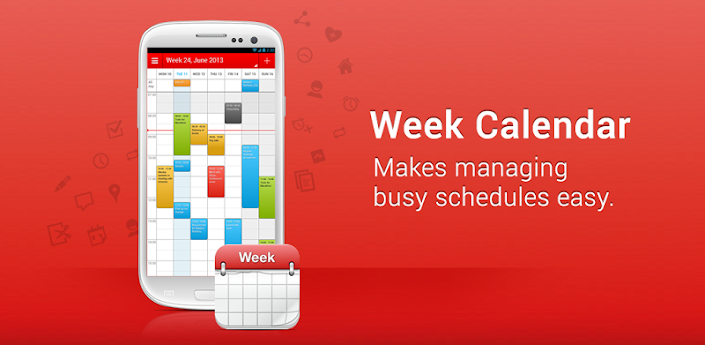
★★ GET THE NO 1. IPHONE CALENDAR APP ON YOUR ANDROID DEVICE ★★
Week Calendar is the most user friendly and all-round calendar app worldwide for everyone that needs to manage a busy schedule. Week Calendar works without setup using the Exchange, Google and other calendars you have configured on your Android device.

★ FAST AND EASY TO USE
You're too busy to spend a lot of time managing your schedule. That's why adding, repeating and moving events is made easy in Week Calendar. With its magnificent interface and intuitive usability, working with Week Calendar is a pleasure for both casual as extensive professional users.
★ CALENDAR OVERVIEW
Week Calendar provides a clear and detailed overview based on day, week, (mini)month or year level. Set one or more calendars to display simulteaous, each with it's own color, to easily sync work, home and project schedules.
★ PACKED WITH USEFUL FUNCTIONS
Move your appointments by simply dragging, copying and pasting. Clear up a busy schedule by assigning different colours or Emoji's/icons to your appointments and events. Powerful reminder functions make sure you’ll always remember your events. Customize week numbers and many other functions to suit your own personal needs.
★ ENHANCE YOUR CALENDAR WITH HOLIDAYS, SPORTS AND OTHER EVENTS
Visit our Calendar Store to add additional subscriptions to sports games, national holidays and more to your calendar. Accidentally scheduling an appointment on your free day now belongs to the past!
★ MOST IMPORTANT FEATURES:
- Magnificent overview of your appointments and events in day, week, month and year view
- Simply reschedule or copy/paste events using drag and drop
- Homescreen widget for fast calendar access
- Assign emoji's/icons to your events
- Event templates for events you often create
- Works without setup for all calendars on your Android device (Exchange, Outlook, Google, Facebook, etc)
- Quickly add events on the right time using tap-and-hold
- Pinch to zoom for a perfect fit in your screen
- Link contacts to events
- Advanced repetition rules
- Invite participants/ share appointments and events by e-mail
- Time zone support for people who travel
- Adaptable week numbers
- Hide weekends when there are no appointments
- Customizable action menu for easy access to often used functions
Do you have questions, complaints or comments? We are more than willing to help or solve any of your questions quickly, we're known for excellent and fast support. You can find the most frequently asked questions on our support website or just drop us a line.

View on Play Store: https://play.google.com/store/apps/details?id=com.calsol.weekcal

Please read the Disclaimer before downloading the app.
Downloads:

Windows Phone Notifications + v5.3 - Productigeeky

Windows Phone Notifications displays Windows Phone styled non-intrusive notification banners for any app on your device.
You can swipe the notification to the right to dismiss it, to the left to dismiss all notifications, or click it to launch it.
You can set a custom colors for any app.
Follow us :
twitter.com/productigeeky
facebook.com/productigeeky
productigeeky.com/google-plus
~~~
Get support, share ideas and suggestions at http://getsatisfaction.com/productigeeky
Checking notifications from third party apps requires the activation of the WPN accessibility service. Status bar notifications must be enabled in the monitored apps for WPN to be able to process them.

View on Play Store:  https://play.google.com/store/apps/details?id=com.nlucas.wp7notifications

Please read the Disclaimer before downloading the app.
Downloads:

Sunday, June 2, 2013

Solid Explorer Trial + Unlocker v1.4.5 - Krzysztof Głodowski

Solid Explorer is a file manager with two independent panels which brings to you a new file browsing experience. This is the most attractive, eye catching and intuitive file manager for the Android.

Main features:
1. Two independent panels for browsing
2. Drag and Drop inside and between panels
3. FTP, SFTP and SMB/CIFS clients
4. File sharing via FTP
5. Support for ZIP, TAR.GZ, TAR.BZ2 and RAR archives
6. Creating ZIP and TAR archives
7. Dropbox, Box, SkyDrive, GoogleDrive (more soon)
8. Bookmarks
9. Root access
10. Indexed search
11. Detailed file and directory information


View on Play Store: https://play.google.com/store/apps/details?id=pl.solidexplorer

Please read the Disclaimer before downloading the app.
Downloads:

Downloads:

LockerPro Lockscreen v3.7 - Productigeeky

A simple and clean lock screen with notifications for your Android device.

« LockerPro Lockscreen for Android Puts App Notifications Right On Your Lock Screen », Lifehacker (December 2012)
« LockerPro is the nicest Android lock screen replacement I've come across », PhoneDog (December 2012)
« LockerPro Lockscreen is a great app that implements notifications really elegantly », Redmond Pie (December 2012)

Try the smartest lock screen for Android !
LockerPro allows you to check your notifications without unlocking your device.
LockerPro monitors notifications coming from any app on your device, and displays them as banners on your lock screen. You can easily swipe them away by swiping them to the left, or launch the notification by swiping to the right.
LockerPro also provides an app launch panel and a widget panel. Simply swipe the screen from the left to access the app launch panel, and from the right to access the widget panel.
Follow us :
twitter.com/productigeeky
facebook.com/productigeeky
productigeeky.com/google-plus

View on Play Store: https://play.google.com/store/apps/details?id=com.productigeeky.lockerpro

Please read the Disclaimer before downloading the app.
Downloads:

Business Calendar v1.3.3.0 - Appgenix Software

Business Calendar is a complete calendar application that is synchronising with your Google calendars!
* smooth scroll- and zoomable multi-day view (1-14 days)
* graphical and textual presentation
* month, agenda, day and event view
* color-coded year view
* quickly fade in/out calendars using the favorite bar
* search function
* drag&drop functionality
* configurable widgets in different sizes for month, week, agenda and day view
* easy switching between timeline bars and event titles in month view
* intuitive new handling option: just move your finger over some days of interest in month view to open them in the multi-day view
* quick day overview when adding a new event
* many options for recurrent events (e.g. to add a recurrent event that takes place every other week on Tuesday and Thursday)
* option to link a contact to an event
* option to create templates for events
* multi-selection mode to delete, move or copy multiple events at the same time
* configurable font sizes for the app and the widgets
* option to select individual calendars for each widget
* 11 different widget design themes
* light and dark theme for the app
* import/export function for calendar files in the popular iCalendar format (.ics, .ical)
* context-sensitive help system to optimize your work with Business Calendar
There also is a free ad-supported version of Business Calendar (called Business Calendar Free), we recommend to test the free version before buying the paid one.
Please do not move the application to the sd card if you want to use the widgets (general limitation of the Android operating system)!
You can use our own Business Calendar reminders or the reminders of the stock calendar application to get alarm messages for your events! If you use our own reminders please remember to disable the alarm messages of the stock calendar application!

View on Play Store: https://play.google.com/store/apps/details?id=mikado.bizcalpro

Please read the Disclaimer before downloading the app.
Downloads:

EVA - Virtual Assistant v3.00 - BulletProof

EVA is a must have app if you want to use voice to increase your productivity. It's like Siri but with so many truly useful functions you will wonder why it doesn't come standard with Android. It includes a dedicated Car Mode that is extremely useful if you want to use your phone while driving. It is the one application that makes your smart phone so much smarter. It includes a powerful Profiles feature that allows you to change loads of settings on your phone in one instant simply by changing the Profile. There are over 20 videos on my YouTube channel (link below) that walk you though every aspect of the application. Take advantage of the free 28 day trial as you cannot possibly try it in a few hours let alone a week. Read the reviews to see what other people are saying and if you like it please tell your family, friends and co-workers. Thanks, Peter.
The free 28 day trial version is available from the links on this page. It has the same functions. Uninstall the free version prior to installing this one. Your settings will be retained. EVA is the same as AVX with just a different look.
NOTE: If you have any problems please email me (link below, I don't bite). You are wasting your time leaving it as an app review because Google has not provided a way for me to contact you.
Who should use EVA? If you are looking for an application that provides hands-free operation of your phone then EVA is right for you. If you are just looking for an electronic friend to chat with then please go with one of the Siri clones. On the other hand if you want a real virtual assistant that has extremely useful functions that will make your life easier then please give EVA a try.
EVA has all the functions you'd expect your assistant to perform plus some that you probably never knew were possible. Here is a list of some of the functions that you wont find in most of the competition:
★ Reading and replying to incoming text (including Google Voice) and email (including Microsoft Exchange)
★ Reading and replying to incoming instant messages via Google Talk
★ Integration with Google+
★ Integration with Evernote
★ Integration with Tasker
★ Home Automation with INSTEON. Turn on the lights and appliances, open the garage door and a whole lot more, all with voice commands or scheduled or based on your location.
★ Time based reminders. Remind you to do something on a day and/or time.
★ Location based reminders. Remind you to do something based on your location.
★ Location based actions. Perform any function that EVA can do based on your current location. Have EVA automatically text your wife when you leave the office.
★ Time based actions. Perform any function that EVA can do on a set day and time
★ In-Car mode including wake up phrase and fully customizable function buttons
★ Custom voice shortcuts to your phone applications. Give your apps any name you want and open them using that name.
★ Voice bookmarks to your favorite web sites.
★ Activate just by shaking your phone
★ Works with all Bluetooth Headsets and most In-Car Bluetooth devices
★ Read and write NFC tags on compatible devices
★ Remote control your phone over Google Talk
★ Too many other features to list

View on Play Store:  https://play.google.com/store/apps/details?id=com.bulletproof.voicerec

Please read the Disclaimer before downloading the app.
Downloads:

ShareThis

Having problems? Check the How To section for download and installation procedures.

Your feedback is always appreciated. I will try to reply to your queries as soon as possible. Note please do not spam, spam comments will be deleted right away.