Freedom v0.7.7(Google Play In-app Billing Hacking)

Get free In-app purchases on your Android device. Get Freedom, Google Play In-app Billing Hacking, now!

Asphalt 7: Heat v1.0.4 - Gameloft

Hit the speed of heat in the newest, fastest, most visually stunning edition of the famed Asphalt series. Download now!

Game Guardian v6.0.2 - Game Guardian

Game Guardian is a game hack/alteration tool. With it, you can modify money, HP, SP, and much more. You can enjoy the fun part of a game without suffering from its unseasonable design.

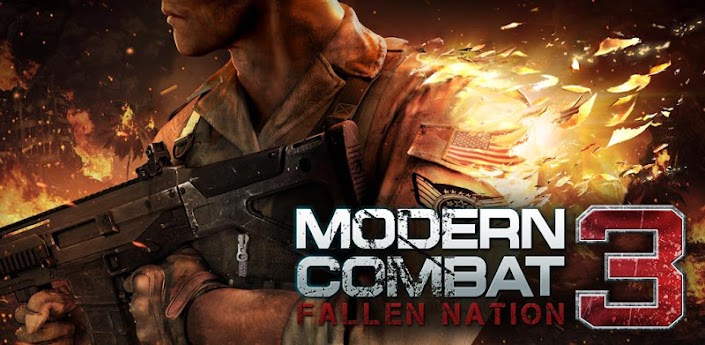
Modern Combat 3: Fallen Nation v1.1.3 - Gameloft

The best, most realistic smartphone FPS series returns with even higher intensity and an apocalyptic battle for the freedom of the United States, for one or more players.

Free Advertising

Place your ads here. Contact us for your free ad.

Showing posts with label Life. Show all posts

Monday, June 10, 2013

Private Diary v6.2 - Mihalich DS Group

This app - Private DIARY will help to you to record your life. It will save all your emotions and interests. You can entrust him all secrets.
It has following possibilities:
- Write notes about your life
- Set a password of your diary
- Show entries in any range of dates
- Show entries of selected category
- Change appearance
- Change the theme
- Backup copy of your entries to SD card
- Recovery of your entries from SD card
- Attach photos
- Add user categories
- Sending entries by email
- Change the order of the entries
- Copy images to Diary or make links to phone's gallery
- Auto backup when exit
- Search entries
- Emoticons
- Send all entries as text file to e-mail
- Copy entry in Twitter client
- Send entry by SMS client
- Upload and download backuped entries to DropBox folder
- Location feature
- Tags
- Two kinds of entries preview list on main page. You can set up "Extended preview" in app settings menu.
- Ability to hide user interface on the record page. Open entry and press menu button of your device.
- Calendar view
- PrivateDiaryOnline.com - online service, sync between devices
- No Ads

View on Play Store: https://play.google.com/store/apps/details?id=app.diary

Please read the Disclaimer before downloading the app.
Downloads:

Thursday, May 30, 2013

WakeVoice ★ vocal alarm clock v4.1.3 - ADNFX Mobile

* As seen on TV! *
* Free demo version available *
* New: change the voice directly into the app *
_____________________________
Summary:
Much more than a simple alarm clock, WakeVoice lets you interact with your phone using your voice:
- Talk to it with custom commands to stop the alarm or activate the snooze option
- Listen to your phone telling you about the weather, news of your choice or a personalized message while staying warm in your bed
_____________________________
Details:
Waking up is not an easy thing for you? You have never found the alarm clock you needed?
Why not try WakeVoice!
WakeVoice can overcome the negative aspect associated to regular alarm clocks, making your morning funnier and less difficult.
The idea is simple: when the alarm rings, you just have to talk to WakeVoice to stop the alarm or activate the reminder.
But that's not all!
Once the ringing stopped, it's your phone's turn to talk to you.
Customizable messages, weather of the day, news of your choice (RSS)... choose what you want to hear.
Add to that all the settings imaginable on a clock (programming various alarms over several days, setting names, volume, times...) and you get WakeVoice, the most innovative alarm clock that you can find on the Android market.
So now, with WakeVoice, you won't be angry anymore when you'll be waking up :)
_____________________________
Warning: don't force app2sd with WakeVoice. It's not recommended by Google for an alarm clock app. Furthermore, you'll have issues with Play Store updates.

View on Play Store: https://play.google.com/store/apps/details?id=com.adnfxmobile.wakevoice

Please read the Disclaimer before downloading the app.
Downloads:

Monday, May 27, 2013

Notes on Life Pro v6.2 - AppBody (HK) Information Technology Co., Limited


Finally the very best life journaling app for Android devices Notes on Life
Collecting precious moments of life

We are via Facebook to express our feelings; Using Twitter to keep communicates with peoples emotionally. So what we use to collect precious moments of our life? Note on Life can collect and transform your precious moments of life into a tempting life notes.
- How to record and illustrate an exciting journey?
- How to save the daily chores and inspirations simply and effectively?
- How to organize memorable moments of a party or touching words of the friend?
- How to conveniently create a weekend shopping list at any time?
- How to create an interesting growing journal for your baby?
- How to use doodle to express your ideas and feelings for fun?
On this app you can do pretty much anything: draw, collage, edit photos, journal, write to-do lists, send notes to friends, storyboard . . . You name it, Notes on Life help you do it all !
Four main Functions
1. Photo Note
Using templates to automatically nesting your photos and it only takes 5 seconds to produce a beautiful photo album/Photo book. There are more than 30 photo filters in Photo Note to choose from and you can also to decorate it with interesting ornaments or writing memorable words on it.
2. Sketch Note
To sketch on a piece of paper, photograph or template, there are pens, pencils or color pens to choose from in Sketch Note. It is a fast and intuitive way to express your ideas and emotions in Notes on Life.
3. List Note
You can write on, scribble on and save info on lists to take to the home improvement store, thrift store, craft store, or market.
4. Rich Media Notes
A Rich media notes is better than a paper note book, since it` simplicities and fun. There are more than 50 shapes & symbols in rich media notes. You can insert photo, decorating and composite your notes as you expected.
Everything is as simple as you write and scribble it on a piece of paper. With rich media notes, you will surprise to see your writing and scribbling is prettier than you do it on a piece of paper.
Five main features
1. Beautiful templates are ready to use
There are album templates, diary templates, nine lattice diary, sketch templates, shopping template, To-Do-list template, Calendar template ready for use.
2. Magic pen to optimizes your writing
If you like to journal, especially with your own handwriting then you can`t go wrong with the invention of Magic Pen technology from our company and it can optimize your writing and scribbling impressively. Magic Pen is not only allows you to write faster, but also to write beautiful than ever.
3. Powerful and easy-to-use of sketch function
Inherited and extended of Samsung S Pen`s sketch ability, Notes on Life not only provides variety of type of pen, different colors, all kinds of thickness of pen, but also it increases the fun of sketching on paper and photo.
4. Notelet: The invention of Notes on Life
Notelet allows you to set date and style from many beautify calendars by fingertip on screen.
5. The Freedom of composition of rich media
If you want to create your own style of templates, you have to take advantage of the freedom of composition of rich media. Use different combinations of text, handwriting, pictures, sketch, decoration and shape to customize your template.
If you love Handy Note, You will like Notes on Life
Notes on Life is a sister version of Handy Note. In compare with Handy Note, which is more work-oriented, Notes on Life focus on more on leisure life.
To fulfill the leisure needs, Notes on Life inherited most of the functionality of Handy Note and adding the photo processing, sketch and many other fun features into it.
Reminder: No support for less than 3.8 inch size screen and lower than 800x480 devices.

View on Play Store: https://play.google.com/store/apps/details?id=com.appbody.notesOnLife.google

Please read the Disclaimer before downloading the app.
Downloads:

Thursday, May 16, 2013

My Movies Pro v1.92 - Binnerup Consult

Important Notice! This application is for managing a movie collection library. You can not download or watch movies with it.
My Movies for Android allows you to catalog your entire movie collection library from our high quality online data service containing data for more than 600,000 DVD, Blu-ray and HD DVD titles from various countries. If you have one or more titles that is not in our service, you can report it and it will be created within 48 hours by our staff - a service you will not find elsewhere.
The application is optimized for both phones and tablets, including a full Honeycomb tablet interface.
You can evaluate the full application, by downloading My Movies for Android Free, which is a freely available identical version with the exception of being limited to 50 titles, and only 10 items in release and trailer lists.
You can use My Movies for Android as a standalone product, or use it as a companion to our My Movies software packages for Mac OS X or Windows, allowing you to keep your movie collection synchronized between clients.
My Movies for Android requires you to create a user account, or log on to an existing My Movies account to be able to use the program. Your collection will follow your user account through our online servers, allowing you to switch between different clients without ever losing your data - we have clients available for Android, iPhone, iPad, Mac OS X and Windows. If you log in to an existing My Movies account, your current collection will automatically be synchronized to your phone.
You can within the program activate an online collection website of your movie collection, allowing you to send friends and family a website that allows them to browse your entire collection.
With My Movies for Android, you can keep track of movies you own, previously have owned, rented or movies you wish to purchase. Never again will you have to purchase or rent a movie twice.

Feature list:
- Add by barcode search, title search, manual entry or camera scan.
- High quality barcode scanner with multi-scan function.
- Add to different groups (Owned, Wished and more).
- Set purchase details (price, place and more).
- Personalize with location, tags, notes, rating and more.
- Browse with shelf, list or CoverFlow views.
- Detail view with synopsis, full cast list, audio tracks, subtitles and much more.
- Configure listed actors (10, 20, 30 or all).
- Links to IMDB.
- High quality front and back covers.
- Watch trailers.
- Search collection.
- Multiple sort options.
- Advanced filtering.
- Integration with Facebook.
- Parental control functions.
- Shake to random select.
- E-mail movie list as TXT or CSV.
- Loan titles to contacts and keep track.
- Online title collection to share with family and friends (http://c.mymovies.dk/demonstration).
- Tabbar badge with title and/or person count.
- Person section with photos, biographies and starring in lists.
- Releases section with upcoming DVD and Blu-ray's.
- Use same collection on multiple devices with automatic online sync.
- Automatic profile update for latest and most accurate data.
- Remote control for Windows Media Center and Dune players.
- Report missing titles to our staff.
- Report incorrect data to our staff.
- Much MORE!

View on Play Store: https://play.google.com/store/apps/details?id=dk.mymovies.mymoviesforandroidpro

Please read the Disclaimer before downloading the app.

Downloads:

Downloads:

ShareThis

Having problems? Check the How To section for download and installation procedures.

Your feedback is always appreciated. I will try to reply to your queries as soon as possible. Note please do not spam, spam comments will be deleted right away.