Freedom v0.7.7(Google Play In-app Billing Hacking)

Get free In-app purchases on your Android device. Get Freedom, Google Play In-app Billing Hacking, now!

Asphalt 7: Heat v1.0.4 - Gameloft

Hit the speed of heat in the newest, fastest, most visually stunning edition of the famed Asphalt series. Download now!

Game Guardian v6.0.2 - Game Guardian

Game Guardian is a game hack/alteration tool. With it, you can modify money, HP, SP, and much more. You can enjoy the fun part of a game without suffering from its unseasonable design.

Modern Combat 3: Fallen Nation v1.1.3 - Gameloft

The best, most realistic smartphone FPS series returns with even higher intensity and an apocalyptic battle for the freedom of the United States, for one or more players.

Free Advertising

Place your ads here. Contact us for your free ad.

Showing posts with label Media. Show all posts

Friday, July 26, 2013

Archos Video Player v7.5.6 - Archos S.A.

The critically acclaimed Archos video player app offers an uncompromised multimedia experience.
Hardware accelerated video decoding support for most devices and video formats;
Ability to play content from any computer/network storage in your local network (SMB and UPnP) or from an external USB storage device;
Automatic online retrieval of Movie and TV show information with poster and backdrop for both local and network content;
Integrated subtitle downloader;
Network indexing: import remote shared folders (SMB) in your multimedia library;
Video browsing with either folder or library based navigation;
Ubiquitous access to TV shows sorted in a series/season/episode hierarchical view;
Multi-device network video resume;
TV friendly: Keyboard/remote control compatible.
Note:
If you experience any issue with video hardware decoding you can force software decoding in Archos Video Player application settings to watch your video.

What's in this version : (Updated : Jul 25, 2013)
Display an error message about Android 4.3 not supported instead of crashing...
(We're working hard to fix it and hope to have a new version soon!)

View on Play Store: https://play.google.com/store/apps/details?id=com.archos.mediacenter.video

Please read the Disclaimer before downloading the app.
Downloads:

Wednesday, July 24, 2013

tinyCam Monitor PRO v4.3.8 - Tiny Solutions LLC

One of the best app available for Android for remote surveillance, control and video recording for your private/public network or IP cameras, video encoders and DVRs with CCTV cams (#1 rated surveillance app, 4.6 average rating with 10,000+ active users).

Monitor your baby, pet, home, business, traffic, and weather remotely and securely (no data being sent to 3rd parties). tinyCam Monitor provides best value to customers. Buy now to get more features in future updates for free! More than 25 major updates per year with new features!

Listed as a featured app on Google TV in Android Market. View your security cams right from the sofa!

Features:
Very intuitive custom made interface. See the screenshots to appreciate the quality of the app.
Support for M-JPEG based devices of all major vendors (100+)
1-way audio (listening) for D-Link, Edimax, Gadspot, SONY, Sharx Security, LogiLink, TRENDnet, Y-cam (selective models)
2-way audio (talking and listening) for Axis, FOSCAM, Loftek, Tenvis, Wansview, INSTAR, and more on the way!
SSL support (https) for secured monitoring and encrypting credentials
10 different layouts with unlimited number of cameras support
Control pan-tilt-zoom (PTZ) enabled devices, i.e. Panasonic, Pixord, Vivotek
Relay, LED control for some models
Cyclic 24/7 video recording (sequence of JPEG images) on SD card. Video playback is under development.
Easy to use pinch to zoom for digital zooming and swipes for camera selection
Sequence mode for automatic cameras switching
Import/export settings to SD card or Dropbox service
Support for any USB/laptop cams through 3d party software for PC/Mac (see FAQ)
Native interface for Honeycomb tablets and Google TV
Very CPU efficient
Still not amazed? How about these UNIQUE Features :
The only app in the market which supports ON CAMERA MOTION DETECTION (selective models). Make automatic snapshots or play alert sound on motion!
LAN SCANNER for automatic cams detection. Have a camera IP address suddenly changed? It takes only couple minutes to fully rescan your home network
Audio real-time processing (SQUELCH) for using it as a baby monitor
What's in this version: (Updated : Jul 23, 2013)
1-w audio for FOSCAM FI9821W
Motion detection support for FOSCAM FI9821W
Fixed blank remote hostname issue
Fixed audio crash for Tenvis JPT3815W2013

View on Play Store: https://play.google.com/store/apps/details?id=com.alexvas.dvr.pro

Please read the Disclaimer before downloading the app.
Downloads:

Friday, June 14, 2013

Archos Video Player v7.5.2 - Archos S.A.

 ARCHOS makes Video Player app available for all Android tablets and phones (requires Android 4.0 or later)!
The critically acclaimed Archos video player app offers an uncompromised multimedia experience.
- Hardware accelerated video decoding support for most devices and video formats;
- Ability to play content from any computer/network storage in your local network (SMB and UPnP) or from an external USB storage device;
- Automatic online retrieval of Movie and TV show information with poster and backdrop for both local and network content;
- Integrated subtitle downloader;
- Network indexing: import remote shared folders (SMB) in your multimedia library;
- Video browsing with either folder or library based navigation;
- Ubiquitous access to TV shows sorted in a series/season/episode hierarchical view;
- Multi-device network video resume;
- TV friendly: Keyboard/remote control compatible.
* Note that if you experience any issue with video hardware decoding you can force software decoding in Archos Video Player application settings to watch your video.
TAGS: Video Player, Video Browser, Video Library, UPnP, SMB, NAS, Hardware accelerated video decoding, Movie Library, Media Library, Indexing, TV Show, Season, Episode, Subtitles, MKV, MP4, AVI, SRT

View on Play Store: https://play.google.com/store/apps/details?id=com.archos.mediacenter.video

Please read the Disclaimer before downloading the app.
Downloads:

Wednesday, June 5, 2013

Audio Manager (Hide It Pro) v3.0.2 - Anuj Tenani

This is same as the Audio Manager aka Hide it pro application on your phone except that this version has no ads
You may uninstall the one with ads before you make the purchase
You should try the ad free version before you buy

View on Play Store: https://play.google.com/store/apps/details?id=com.smartanuj.hideitprokey

Please read the Disclaimer before downloading the app.
Downloads:

Tuesday, June 4, 2013

iCamSpy Pro v1.3 - iCamSpy

iCamSpy is the best (4.5 stars) and most user-friendly WiFi / 2G / 3G / 4G mobile video and audio surveillance app ever created! iCamSpy will turn your smartphone and any PC or notebook with webcam and microphone into a feature-rich mobile audio and video surveillance system with motion detection in less than 1 minute. On your smartphone, you can watch and listen in real-time to what is happening in your office or at home anytime, anywhere over WiFi or 2G / 3G / 4G mobile networks. Use iCamSpy as burglar alarm to protect your home and valuables, watch your baby and pets, spy on your friends and family or monitor your business in real-time.
"iCamSpy is the only app in existence that provides live video surveillance over 2G / 3G / 4G mobile networks! All other surveillance apps are limited to WiFi only."
The setup is very easy and only takes 1 minute. You don't need to know anything about hardware and networking. No need to install server software on the PC or configuring router ports. All you need is this app, a free iCamSpy account, the link to our online browser tool (http://www.icamspy.com) that serves the webcam video and audio stream from any PC to the iCamSpy app — and you're set.
-----
ICAMSPY FEATURES
+ Real-time video and audio surveillance
+ Works with WiFi and 2G / 3G / 4G / Edge mobile networks
+ Motion detection sound alerts
+ Motion detection email notifications with surveillance photos
+ Save surveillance photos as evidence on your phone
+ Optimized for 24 / 7 non-stop surveillance
+ Secure, stable and reliable
+ Works with any PC and webcam

View on Play Store: https://play.google.com/store/apps/details?id=air.icamspypro

Please read the Disclaimer before downloading the app.
Downloads:

Sunday, June 2, 2013

Nexus Media Importer v6.1 - Homesoft

Nexus Media Importer allows you to stream and transfer music, video, photos and documents from a USB flash drive or card reader connected to your Nexus 7, Nexus 10, Galaxy Nexus, Xoom or other Android 4.0+ devices with USB Host support. See technical notes for a list of supported file types and file systems. This is the only non-root solution for devices that do not provide native support for external storage.
Requires the following hardware:
1. An Android 4.0+ device. Known compatible devices include the Google Galaxy Nexus, Nexus 7 & 10 and the Motorola Xoom. Please try the free "Nexus Photo Viewer" first if you do not have one of these devices. Due to hardware limitations, the Nexus 4 is not supported.
2. An USB OTG (On-The-Go) cable. Costs range from $1-10 USD, see screenshots for examples.
3. An USB Flash Drive or USB Card Reader with a flash memory card inserted, see screenshots for examples. Please see the FAQ on our website if you are trying to connect an external hard drive or other device.
To use:
-If you are using an card reader, put the flash memory card in the reader first.
-Attach your USB device to the OTG cable.
-Attach the OTG cable to the Nexus or other device.
-The application should launch automatically.
-Photos can be browsed by selecting from the list then swiping back and forth.
-Videos can be streamed with the Play icon.
-The Advanced tab can be used to manage and transfer files.
-Use the Connect screen to determine the viewed device and the destination device for the Copy/Move operations.
Support:
-If you have an issue, please visit the Developer's Website or contact us by clicking "Email Developer".
-Currently, most USB Mass Storage devices are supported. Due to the mind boggling number of USB devices available it is not 100% If you contact us, we may be able to support your device in a future release. If you have doubts, try the free "Nexus Photo Viewer" first.
Technical Notes:
-DOES NOT REQUIRE ROOT! Rooting may void your device's warranty.
-The USB drive/flash memory card must be formatted as FAT16, FAT32 or NTFS (no exFAT or extN support). FAT & NTFS are the most common formats for flash cards and USB Drives.
-Read Only for NTFS.
-Hard Drives. It is strongly recommended that you use external power when connecting a hard drive to a tablet. Please see the troubleshooting guide on my web site for more information. Do not connect an unpowered hard drive to a phone!
-This is a media streamer. Media types not natively supported by Android will require third party software. There are many excellent free and paid apps. in the Play market. For example:  "BS Player", "MX Player" and "Dice Player"
-The internal music player only plays formats natively supported by Android. WMA files are not supported, but can be copied locally for use with another player.

View on Play Store: https://play.google.com/store/apps/details?id=com.homeysoft.nexususb.importer

Please read the Disclaimer before downloading the app.
Downloads:

Wednesday, May 29, 2013

BSPlayer v1.9.151 - BSPlayer Media

This is full, ad-free version of BSPlayer multi media player with added functions.
BSPlayer is media player for Android smartphones and tablet PC's, supporting hardware accelerated video decoding, automatic subtitle search and buffered network playback from SMB shares.
Main features:
- NO advertisements
- Android 4.2 Jelly Bean MR1 compatibility
- hardware accelerated video playback - significantly increases playback speed and reduces battery consumption, supporting multi-core (dual and quad-core) hardware decoding*
- audio pre-amplification ("volume boost" - user definable up to 500%)
- playback in popup window (audio and video)
- support for almost any media filet ype (video and audio), such as: avi, divx, flv, mkv, mov, mpg, mts, mp4, m4v, rmvb, wmv, 3gp, mp3... and streaming content such as RTMP, RTSP, MMS (tcp, http), HTTP Live stream, HTTP.
- aspect-ratio adjustments and zoom
- multiple audio streams and subtitles
- supports customizable gestures for Seek, Jump, Brightness and Volume control, exit to popup video
- playlist support and various playback modes.
- support for audio headsets and external Bluetooth keyboards
- customizable audio offset, playback speed, gestures and keys
- external and embedded subtitles ssa/ass, srt, sub, txt...
- Automatic subtitle search (mobile or Wi-Fi connection must be enabled to work)
- playback media files such as videos and mp3's directly via Wi-Fi from your network shared drives/folders (such as external USB drives, SMB shares, PC shared folders, NAS servers (Synology and others)) - no need to convert video files and copy media files to SD card
- Playback files directly from uncompressed RAR files
- Lock screen to prevent accidental change of videos (kid lock)
- support for USB OTG (On-The-Go)for example: Nexus media importer, USB OTG Helper, USB Host Controller... and much more!
****** Licensing troubleshooting: ******
- If after the purchase and installation of the app you get a license failure notification, this is because the purchase may take some time to be recorded on the Google license server. It will resolve within a few hours or you can try re-installing and restarting your device.
- If your download is declined, your credit card authorization will have failed. Please update your card details (usually the address doesn't match) and retry the purchase.
- If you get "Not compatible with your device" from the Market App, please try clearing your Market App Cache (Settings, Applications, Market, Clear Cache) and restarting your device.
- BSPlayer app uses Google's standard licensing service. Keep Wi-Fi or mobile data enabled at the the first run of application. Further internet connection will not be required. Also, for existing users having problems with licensing - you may try "Clear app data" function and run app with internet connection enabled. This should license your app.
If you are having any issues with licensing, please send us an email to sales@bsplayer.com and we will fix the issue.
This package includes support for ARMv7 with VFP and NEON. For other CPU types please download appropriate package. Application will notify you which package you need.
NOTE: When reporting error please add info about your smartphone brand and model. Also you can send us more detailed bug report on e-mail android@bsplayer.com. We are trying to improve the player for the users and your feedback is appreciated.
* Hardware acceleration support depends on device video decoder capability. Hardware accelerated playback in portrait mode may be corrupted on some HTC models (eg. on HTC HD, it is a hardware issue). Also on some devices (Samsung galaxy S2) zoom/stretch may not work on all videos.
This software uses code of FFmpeg licensed under the LGPLv2.1 and its source can be downloaded from BSPlayer website.
Dedicated support forum can be found here http://forum.bsplayer.com/bsplayer-android/.

View on Play Store: https://play.google.com/store/apps/details?id=com.bsplayer.bspandroid.full

Please read the Disclaimer before downloading the app.
Downloads:

Tuesday, May 28, 2013

Archos Video Player v7.5.1 - Archos S.A.

ARCHOS makes Video Player app available for all Android tablets and phones (requires Android 4.0 or later)!
The critically acclaimed Archos video player app offers an uncompromised multimedia experience.
- Hardware accelerated video decoding support for most devices and video formats;
- Ability to play content from any computer/network storage in your local network (SMB and UPnP) or from an external USB storage device;
- Automatic online retrieval of Movie and TV show information with poster and backdrop for both local and network content;
- Integrated subtitle downloader;
- Network indexing: import remote shared folders (SMB) in your multimedia library;
- Video browsing with either folder or library based navigation;
- Ubiquitous access to TV shows sorted in a series/season/episode hierarchical view;
- Multi-device network video resume;
- TV friendly: Keyboard/remote control compatible.
* Note that if you experience any issue with video hardware decoding you can force software decoding in Archos Video Player application settings to watch your video.
TAGS: Video Player, Video Browser, Video Library, UPnP, SMB, NAS, Hardware accelerated video decoding, Movie Library, Media Library, Indexing, TV Show, Season, Episode, Subtitles, MKV, MP4, AVI, SRT

View on Play Store: https://play.google.com/store/apps/details?id=com.archos.mediacenter.video

Please read the Disclaimer before downloading the app.

Downloads:

Monday, May 27, 2013

Archos Video Player 7.1.2 - Archos S.A.

ARCHOS makes Video Player app available for all Android tablets and phones (requires Android 4.0 or later)!
The critically acclaimed Archos video player app offers an uncompromised multimedia experience.
- Hardware accelerated video decoding support for most devices and video formats;
- Ability to play content from any computer/network storage in your local network (SMB and UPnP) or from an external USB storage device;
- Automatic online retrieval of Movie and TV show information with poster and backdrop for both local and network content;
- Integrated subtitle downloader;
- Network indexing: import remote shared folders (SMB) in your multimedia library;
- Video browsing with either folder or library based navigation;
- Ubiquitous access to TV shows sorted in a series/season/episode hierarchical view;
- Multi-device network video resume;
- TV friendly: Keyboard/remote control compatible.
* Note that if you experience any issue with video hardware decoding you can force software decoding in Archos Video Player application settings to watch your video.
TAGS: Video Player, Video Browser, Video Library, UPnP, SMB, NAS, Hardware accelerated video decoding, Movie Library, Media Library, Indexing, TV Show, Season, Episode, Subtitles, MKV, MP4, AVI, SRT

View on Play Store: https://play.google.com/store/apps/details?id=com.archos.mediacenter.video

Please read the Disclaimer before downloading the app.
Downloads:

Thursday, May 23, 2013

AndroVid Pro Video Editor v1.0.3 - zeoxy

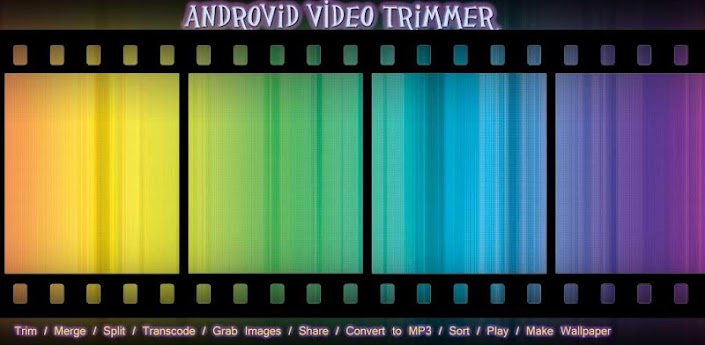
Trim, merge, split, transcode, apply effects, grab video frames, share your videos, convert to many audio and video formats.
IMPORTANT SELLER NOTICE: AndroVid Pro is the ad-free, commercial version of AndroVid application. You can try all PRO features in the Free version. Before buying AndroVid Pro, please try the free version first, because some features may not work on your phone.
REFUND POLICY: 15 minute is very short to try all features. We extend it to 24 hour. If any feature is not working on your phone, please send email to androvid@androvid.com for refund within 24 hour after buying.

AndroVid Pro provides you the following functionalities:
- Trim your videos and produce clips.
- Merge multiple videos into one file ( Videos must be same format and size[width x height] )
- Delete middle parts of a video
- Split your video files into two separate video clips
- Grab video frames
- Video Effects (Fade in/out, Gray Tone, Mirror, Negate, Remove Audio, Slow / Fast Motion, Swap U-V)
- Convert your video files to audio formats (MP3, M4A, WAV, WMA, ASF, FLAC)
- Convert your video to other video formats ( AVI, FLV, MP4, MPEG-2, MOV, VOB )
- Video Rotate / Flip feature added
- Set video frames as wallpaper
- Share your video clips and grabbed video images. Upload your videos to facebook, youtube etc.
- Play video clips
- Sort your videos by their name, size, duration and date
- Rename/Delete videos on your phone

View on Play Store: https://play.google.com/store/apps/details?id=com.androvidpro

Please read the Disclaimer before downloading the app.

Downloads:

Downloads:

ShareThis

Having problems? Check the How To section for download and installation procedures.

Your feedback is always appreciated. I will try to reply to your queries as soon as possible. Note please do not spam, spam comments will be deleted right away.